


Help for businesses and homes. At work, we set up secure sign-in, security software, email security and updates. At home, we remove viruses, step in after scams and help make hacked accounts safe again.
 Calm, plain advice with no scare tactics Remote help Australia-wide, 7 days a week Upfront pricing, with no surprises

When Something Doesn't Feel Right
Some of these happen at home, some at work. All of them are worth a second opinion.

Pop-Ups and Viruses
At home: a slow computer, strange pop-ups or security warnings you don't trust.

Scam Calls and Emails
At home: a caller wanting access to your computer, or an email asking you to pay.

A Hacked Account
At home: a password that stopped working, or friends getting messages you didn't send.

No Second Check at Sign-In
For businesses: staff accounts that a stolen password alone could open.

Suspicious Emails at Work
For businesses: messages asking staff to click a link, sign in or make a payment.

Updates Falling Behind
For businesses: computers missing security updates, or security software no one checks.

Practical Steps That Lower the Risk
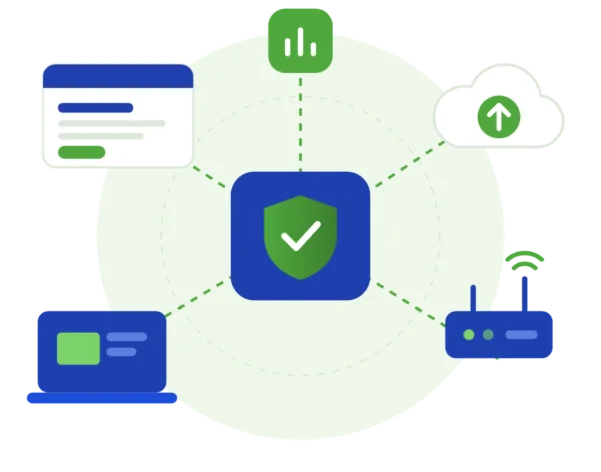
Good security is mostly simple steps done well. For businesses, that means MFA (a code or phone prompt as well as a password), security software on each computer, email security and regular updates. At home, we clean up viruses, sort out hacked accounts and show you how to spot the next scam.
 For businesses: MFA turned on for staff email and accounts For businesses: security software and updates on every computer For businesses: email security settings that help catch scam emails At home: viruses and other harmful software removed
 At home: help securing your email and accounts after a scam
Good to know
- There's no such thing as perfect security. Good settings and habits lower the risk.
- We can't recover money lost to a scam, so speak to your bank as well as us if payments are involved.
- If a computer is badly infected, a reset may be the safest fix. We explain why and confirm the cost first.

Remote First, With Your Permission
We help remotely wherever we can, and arrange on-site help when the work needs hands-on assistance.

Remote Help
Virus clean-ups, account fixes and security changes can usually happen in a secure, encrypted remote session, anywhere in Australia. You decide when we connect, you see everything we do, and you can disconnect us whenever you like.

On-Site Help
Where possible, we provide assistance remotely to help you get support efficiently and reduce unnecessary delays. If the work requires hands-on assistance and cannot be completed remotely, we can arrange an on-site technician, subject to availability and your location being within our on-site service area. A device that can't connect to the internet may need hands-on help.

Four Calm Steps to Safer Tech
Here's what to expect when you get in touch. Online chat and booking are coming soon, so for now please call or send an enquiry.


2. See the Fix and the Price
We explain what we found and the price of the fix before we change anything.

3. We Clean Things Up
We remove anything harmful, secure accounts and set up MFA where it's needed.

4. Notes and Safer Habits
You get a written summary of what we did, plus simple tips for spotting scams.

Security and Scam Questions
Quick answers about scams, viruses, hacked accounts and business security.
Still unsure? Call 1300 59 00 55.
If money or bank details are involved, call your bank straight away. Then call us on 1300 59 00 55. We check your devices, remove anything harmful and help you change passwords and secure your accounts.
Treat it with caution. Never give remote access, passwords or payment to someone who calls you out of the blue. Hang up. If you're worried about your computer, call us on 1300 59 00 55 and we'll check it with you.
A good start is four basics: MFA (a second sign-in check) on every account, security software on each computer, email security and regular updates. We check what you have now and suggest the steps that suit your business and budget.
Yes. Security updates, security software checks and backup checks can be part of a monthly support plan, priced by quote to fit your team and devices. One-off help is also available. Our Pricing page has the details.

Ready to Get Started?
Choose the easiest way for you. We'll take it from there.
