


For small businesses opening an office, replacing computers or welcoming new staff. We set up devices, accounts, printers and basic security, and move your files across, so your team can get started.
 Computers, accounts and printers set up Files and email transferred from old systems A clear plan and price before we start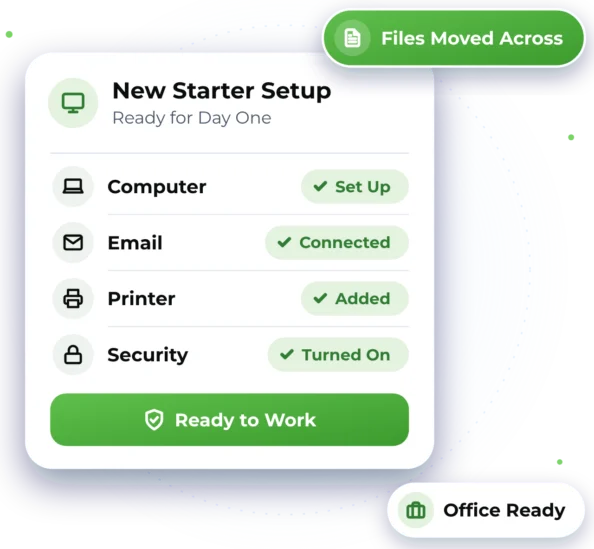

Setting Up Something New?
From one new laptop to a whole new office, here is where we can help your business.

Moving into a New Office
Computers, Wi-Fi, printers and accounts set up so the team can start working.

A New Staff Member Starting
A computer, email account and logins set up so they're ready on day one.

Replacing Old Computers
New PCs set up with your files, and the old ones wiped securely when you're ready.

Moving Files and Accounts
Email, files and user accounts moved from old computers or systems to new ones.

Printers and Shared Devices
Printers, scanners and screens connected so the whole team can use them.

Security from the Start
Updates, security software and sign-in checks turned on as each device is set up.

A Setup Your Team Can Start On
We set up computers, Microsoft 365 or Google Workspace accounts, Wi-Fi and printers, then move your files and email across. We switch on basic security as we go, test that everything works and leave notes explaining what we did and why.
 New Windows PCs and Macs set up with the programs your team uses Microsoft 365 or Google Workspace accounts for new and existing staff Email and files brought over from old computers or accounts Printers, scanners and screens connected and tested for the team
 Basic security on: updates, security software and sign-in checks
Good to know
- A whole-office setup is quoted first, based on your team and devices. See our prices.
- Software must be genuine and properly licensed. Microsoft 365 licences sit in your own account.
- Damaged files or very old programs may not move across or run on a new computer.

How Your Setup Is Delivered
We help remotely wherever we can, and arrange on-site help when the work needs hands-on assistance.

Remote Help
Creating accounts, installing software and moving email can often be done remotely, over a secure connection. Nothing starts without your permission, and you can end the connection at any point. Remote help is available Australia-wide, 7 days, 7am–10pm.

On-Site Help
Where possible, we provide assistance remotely to help you get support efficiently and reduce unnecessary delays. If the work requires hands-on assistance and cannot be completed remotely, we can arrange an on-site technician, subject to availability and your location being within our on-site service area. Our on-site service area covers Greater Western Sydney.

How an Office Setup Works
Here's what to expect when you get in touch. Online chat and booking are coming soon, so for now please call or send an enquiry.

1. Tell Us About Your Office
Call 1300 59 00 55 or send an enquiry with your plans, and request a time.
2. See the Plan and Price
We plan the setup with you. You see the solution and price before work starts.

3. We Set It All Up
Devices, accounts and security set up and tested. Extra time is approved first.

4. Handover and Notes
We check your team can sign in and print, then leave clear notes on the setup.

Office Setup Questions
Quick answers about new computers, new staff and office setups.

Yes. We set up computers, networks and network security, Wi-Fi, printers, Microsoft 365 and user accounts, so your team is ready to work. A larger setup like this is quoted first, so you know the cost before we begin.
Yes. We can set up their computer, a Microsoft 365 or Google Workspace account, email and logins, and connect them to printers and shared files. When someone leaves, we can remove their access securely.
In most cases, yes. We move files and email from your old computers or accounts with care and check they open afterwards. Damaged files or very old programs may not transfer, and we'll tell you if we find any.
We turn on multi-factor authentication, a second check at sign-in such as a code on your phone. We also set up updates and security software, and keep guest Wi-Fi separate from staff Wi-Fi. This lowers risk, but no setup can stop every threat.

Ready to Get Started?
Choose the easiest way for you. We'll take it from there.


