


For homes where email has stopped syncing, a password won't work or a program keeps crashing. We set up email on your phone and computer, guide you through account recovery and install or fix everyday software.
 Email set up on phones, tablets and computers Guidance with passwords and account recovery Secure remote help, 7 days, 7am–10pm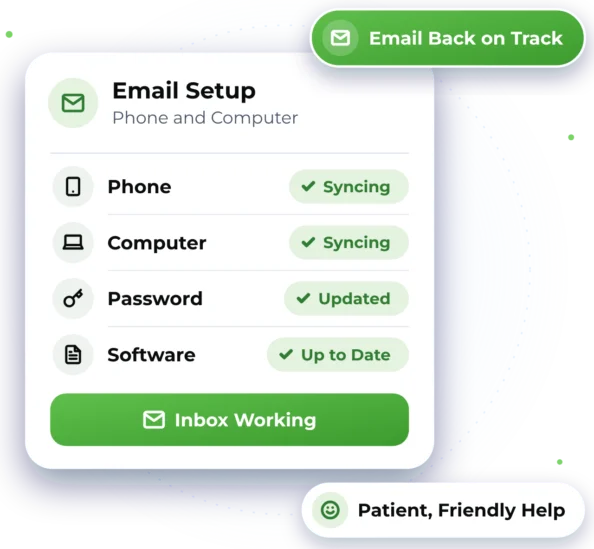

Everyday Email and Software Hassles
From a silent inbox to a program that won't open, here's what we can help with.

Email Stopped Syncing
New emails show on your phone but not your computer, or sending has stopped.

Missing or Junk Email
Messages going missing, landing in junk, or a mailbox that says it's full.

Email on a New Device
Adding your email to a new phone, tablet or computer so the same emails show everywhere.

Locked Out of an Account
A forgotten or changed password, and no clear way to get back in safely.

Programs That Won't Behave
Software that crashes, shows errors or won't open after an update.

Installing Something New
Everyday programs and apps installed, set up and updated properly.

Practical Help with Email and Apps
We look into the problem with you and explain as we go. That might mean fixing email settings, adding your email to a new phone, guiding you through your provider's recovery steps or installing a program. You agree the price first. See our prices.
 Syncing and sending problems in Outlook, Gmail or Apple Mail Email set up on iPhone, Android, Windows and Mac Guidance on passwords, account recovery and two-step sign-in Everyday software installed, repaired or updated
 A plain-language summary afterwards, if you'd like one
Good to know
- Account recovery is up to your email provider. We guide you through their steps but can't bypass them.
- If your email provider has an outage, we can't fix it for them, but we can help you check.
- We can only install genuine, licensed software. Some older programs may not run on newer computers.

Help on Your Own Screen
We help remotely wherever we can, and arrange on-site help when the work needs hands-on assistance.

Remote Help
If it's email settings, accounts or software, we can usually help remotely. We guide you to open a secure, encrypted session, and you see every step on your screen. You can close it when you like. We're open 7 days, 7am–10pm, with remote help Australia-wide.

On-Site Help
Where possible, we provide assistance remotely to help you get support efficiently and reduce unnecessary delays. If the work requires hands-on assistance and cannot be completed remotely, we can arrange an on-site technician, subject to availability and your location being within our on-site service area. That area covers homes across Greater Western Sydney.

What Happens After You Get in Touch
Here's what to expect when you get in touch. Online chat and booking are coming soon, so for now please call or send an enquiry.

1. Tell Us What's Wrong
Phone 1300 59 00 55 or use our enquiry form, and we'll confirm a time with you.

2. See the Fix and Price
We find what's wrong and show you the fix, with the price, before we start.

3. Working on It Together
You watch on screen while we work, and we check with you before any extra time.

4. Check It All Works
We test your email or program with you, then send notes on what we changed.

Email and Software Questions
Quick answers about email, accounts and software at home.
It's often a changed password, an old setting on one device or a full mailbox. We check each device, find what's out of step and fix it where we can, usually through a remote session.
We can guide you through your provider's recovery steps and help you get the right details ready. The provider makes the final call, so we can't promise access. Once you're back in, we can help you set up two-step sign-in, which asks for a code from your phone when you sign in.
Yes. We can install everyday programs and apps, repair ones that crash or show errors, and help with updates that won't finish. Please have your licence key or account login ready. If a program won't run on your computer, we'll explain why and talk through your options.
Warning signs include emails you didn't send or a password that suddenly stops working. Get in touch and we'll help check your devices and secure your email account. See Cybersecurity, Virus & Scam Help for more.

Ready to Get Started?
Choose the easiest way for you. We'll take it from there.

