


For businesses tired of slow computers, failed updates and login problems. We track down the cause, review your systems, security and backups with an IT Health Check and can quote ongoing support.
 A clear review of systems, security and backups Updates and security fixes installed for you Ongoing support plans quoted to suit your team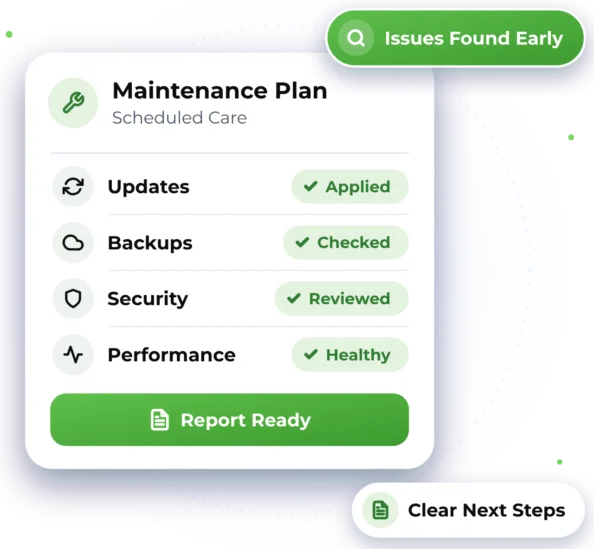

Small IT Problems Slowing You Down?
Little issues add up over time. These are common signs your systems could use some attention.

Slow or Freezing Computers
Slow start-ups, freezes and error messages that interrupt the working day.

Updates That Keep Failing
Updates and security fixes that stall, fail or keep getting put off.

Backups Nobody Has Checked
Backups are set up, but no one is sure they would work if you needed them.

Login and Access Problems
Staff locked out, passwords that stop working or accounts that won't sign in.

Faults That Keep Returning
The same problem comes back because the cause was never found.

No Clear Picture of Your IT
You're not sure what devices and accounts you have, or what needs attention first.


Troubleshooting, Checks and Upkeep
When something goes wrong, we look past the symptoms for the cause. Our IT Health Check gives you a clear review of your devices, email, backups and network, with plain notes on what needs attention. We can also keep updates current and quote ongoing support built around your team.
 Troubleshooting for slow PCs, errors, logins and failed updates IT Health Check: devices, email, backups and network reviewed Updates and patching: installing the latest security fixes Backup checks, including whether files can be restored
 Ongoing support by quote, built around your users and devices
Good to know
- A health check shows how things stand on the day. It can't promise problems won't happen later.
- Older devices or software may stop getting updates from their maker and may need replacing.
- Fixes found during a check are quoted before any work starts, and you decide what goes ahead.

Checks and Fixes, Remote First
We help remotely wherever we can, and arrange on-site help when the work needs hands-on assistance.

Remote Help
Troubleshooting, health checks and updates are often handled remotely, with no travel needed. Each session is encrypted and needs your approval to start, and you can stop it whenever you need to. We support businesses Australia-wide, daily from 7am to 10pm.

On-Site Help
Where possible, we provide assistance remotely to help you get support efficiently and reduce unnecessary delays. If the work requires hands-on assistance and cannot be completed remotely, we can arrange an on-site technician, subject to availability and your location being within our on-site service area. For on-site work, we cover businesses across Greater Western Sydney.

How Our Maintenance Help Works
Here's what to expect when you get in touch. Online chat and booking are coming soon, so for now please call or send an enquiry.


2. Agree What's Needed
We agree what to check or fix, and you approve the price before work begins.
3. Checks and Fixes
We work through the agreed tasks, keep you updated and ask before extra time.

4. Notes and Next Steps
Clear notes on what we found and did, plus a support plan quote if you'd like.

Maintenance and Health Check Questions
Quick answers about IT maintenance, health checks and support plans.

It's a clear review of your systems, security and backups. We check whether devices are up to date, how your email is protected, whether backups are running and how your network is secured. You get plain notes on what we found and what needs attention.
Plans are quoted to suit your team, based on your users, devices and the support you need. They can include ongoing support, security updates, backup checks and network monitoring, which helps spot problems early. For one-off checks and fixes, see our prices.
Yes. We can work alongside your current provider or take over support, whichever suits your business.
Not always, but it can help. A check can show issues like missed updates or backups that have stopped running, before they cause trouble. We explain what we find in plain language, and you decide what to fix.

Ready to Get Started?
Choose the easiest way for you. We'll take it from there.


