


For seniors, families and anyone who'd like to feel more confident with technology. We offer patient one-on-one help with email, photos, video calls and staying safe from scams, in plain language and at your pace.
 Ask as many questions as you like Learn to spot scams and stay safe online Written notes you can keep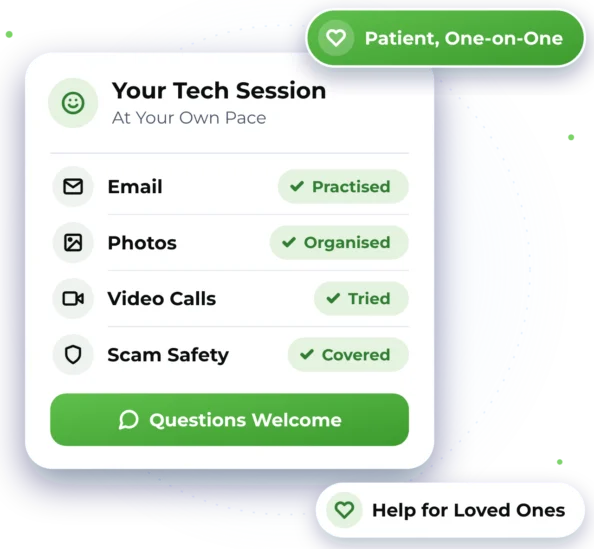

Want to Feel More Confident?
No question is too small. Here are some of the things we can help you learn.

Sending and Reading Email
Writing, replying, adding a photo and finding a message you saved last week.

Keeping Your Photos
Finding, sharing and backing up the photos on your phone or tablet.

Video Calls with Family
Joining a call, and getting the camera and sound working the way you want.

Spotting Scams
The warning signs of fake emails, messages and pop-ups, and what to do next.

Staying Safe Online
Strong passwords, safer browsing and knowing which links to leave alone.

Helping a Family Member
Help for a parent or relative who lives far away, by remote session where suitable.

Patient Help, One Step at a Time
We go at your pace and explain things in plain language. We show you each step, let you try it yourself and leave written notes if you want them. Lessons use your own devices, so what you learn works on the ones you use every day.
 One-on-one help with email, photos and video calls Learning the warning signs of scams and what to do next Help for family members from a distance, with their permission Written notes to look back on after your session
 Friendly help, step by step, with no question too small
Good to know
- No one can promise you'll never come across a scam, but knowing the warning signs helps.
- For remote help, the person being helped needs to be at their device to say yes and start the session.
- Older devices may not run the latest apps, which can limit what we can show you on them.

Learn from the Comfort of Home
We help remotely wherever we can, and arrange on-site help when the work needs hands-on assistance.

Remote Help
In a secure remote session, we see your screen over the internet and guide you. You stay in control: it only starts when you say yes, and you can end it any time. It's a handy way to help relatives far away, anywhere in Australia, between 7am and 10pm, 7 days.

On-Site Help
Where possible, we provide assistance remotely to help you get support efficiently and reduce unnecessary delays. If the work requires hands-on assistance and cannot be completed remotely, we can arrange an on-site technician, subject to availability and your location being within our on-site service area. We provide on-site help across Greater Western Sydney.

Getting Started Is Simple
Here's what to expect when you get in touch. Online chat and booking are coming soon, so for now please call or send an enquiry.


2. Plan What to Learn
Share your goals. You see our suggested plan and the price before your session.

3. Learn at Your Own Pace
We show you each step, you try it yourself, and we never rush you.

4. Notes to Keep
You get written notes to look back on, and you're welcome to ask again later.

Tech Help Questions
Quick answers about one-on-one help and learning at your own pace.
That's absolutely fine. We start wherever you are, explain things in plain language and never rush you. Ask as many questions as you like, and we'll leave written notes if you want them.
Yes, where suitable. With their permission, we can connect to their device remotely and help while they watch. They'll need to be there to accept the connection, and they can stop it whenever they choose.
Contact us and we'll check your device, remove anything harmful we find and help you secure your accounts. If money is involved, contact your bank straight away as well. You'll find more on our Cybersecurity, Virus & Scam Help page.
Yes. Pensioners and seniors card holders get 10% off labour on Home IT. Just mention your card when you book. See our prices.

Ready to Get Started?
Choose the easiest way for you. We'll take it from there.

